Blog

Sharing work between cooperatives.

Agaric hosts a weekly online gathering known as Show and Tell. Participants share tips and tricks we have learned and pose questions to other developers on tasks or projects we are working on. Each week we ask people to send us a little info on what they would like to present. This is not a prerequisite, just a suggestion. Having advance notice of presentations allows us to get the word out to others that may be interested, but you can just show up, and there will most likely be time to present for 5-10 minutes. Sign onto the Show and Tell mailing list and be notified of upcoming Show and Tell events.

Recently we have opened up the Show and Tell chat to bond with other cooperatives that do web development work. Agaric was contacted by members of Fiqus.coop in Argentina as they had started an initiative to meet other cooperative developers and share values and goals. No one had sent notice of a presentation, so we switched the topic of the chat to be more of a meet and greet to get to know each other better with the goal in mind to be able to share our work on projects. The value of the meeting was immediately apparent as we delved into conversation with a few members of Fiqus.

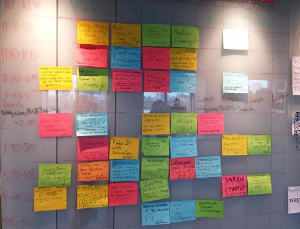
Next, we invited more developers to take part in the discussion, and the doors were opened to share more deeply and connect. This week our meeting was over the top! Nicolas Dimarco led us through a short presentation of slides that revealed a  Federated process and workflow to share development with members of multiple cooperatives. The plan is so simple that everyone immediately understood and the conversation that ensued was compelling, and the questions were indicative of where we need to educate each other about cooperative principles vs. corporate tactics. We need more discussion on trust and friendship. There are so many developers in corporate jobs that have asked me how a web development cooperative works and how does a project run without a manager. I first explain that projects do have managers, but they are managing the work, not the people. Taking time to get to know each other's skills and passions about programming is a core part of being able to work together in a Federation. Fiqus.coop has made it plain and simple for all to see the path to sharing work on projects!

Here is a link to the video recording of the chat where Nicolas Dimarco of Fiqus.coop presents the formula for federated work among cooperatives. Here is a link to the notes from the meeting on 3/20/2019 and some past Show and Tell meetings.

More information on Show and Tell.

Some Drupal shops already work together on projects and we can help that grow by sharing our experiences.  We would love to hear about the ways you work and the processes you have discovered that make sharing work on projects a success!


Sign up to be notified when Agaric gives a migration training:

Learning Objectives

  • Understand the different approaches to upgrading your site to Drupal 11 using the Migrate API.
  • Revise site architecture and map configuration from the previous site to the new one
  • Use the Migrate Drupal UI module to understand module requirements for running upgrades.
  • Use the Migrate Upgrade module to generate migration files.
  • Cherry-pick content migrations for getting a content type migrated to Drupal 11.
  • Modify a migration to convert a content type to a user entity.
  • Modify a migration to convert a content type to a paragraph entities.
  • Migrate images to media entities.
  • Learn about writing a custom process plugin for providing a migrate path for modules that do not include one already.
  • Tips and recommendations upgrade projects.

Prerequisites

This is an advanced course that requires familiarity with the Drupal migration concepts. Our Drupal 11 content migrations training will give you all the background knowledge that you need. Alternatively, you can read the 31 days of migrations series in our blog or watch this video for an overview of the Migrate API.

Setup instructions

Having a Drupal 7 and Drupal 11 local installation is required to take this course. We offer this DDEV-based repository configured with the two Drupal installations used in the training. Alternatively, you can use a tool like Lando or Docksal. You will have to be able to restore a MySQL database dump containing the Drupal 7 database. Drupal 11 site needs to be able to connect to the Drupal 7 database. Drush needs to be installed in order to run migrations from the command line.

This training will be provided over Zoom. You can ask questions via text chat or audio. Sharing your screen, but you might want to do it to get assistance on a specific issue. Sharing your camera is optional.

What to expect

Rocket launch

Prior to the training

Attendees will receive detailed instructions on how to setup their development environment. In addition, they will be able to join a support video call days before the training event to make the the local development environment is ready. This prevents losing time fixing problems with environment set up during the training.

On the days of the training

  • The training totals 7 hours of instruction, which we usually split into 2 sessions.
  • A team of developers available to answer questions and help with training-related issues.

After the training

  • Attendees will receive copies of the training recordings.
  • Attendees will receive a free copy of the 31 days of migrations book.
  • Attendees will receive a certificate of completion.

Thanks to Tony Groff, Agaric has a ticket to DrupalCon Denver to give away to a reader of the Definitive Guide to Drupal 7 who sends in a story (or picture!) of a favorite use of the 1,110 page book— today!

Did Jacine Luisi's tour de force break a barrier to Drupal 7 theming for you? Did Károly Négyesi's 4-page "Developing from a Human Mindset" chapter change the way you do Drupal? Did you win a bet because your favorite module was mentioned? Did the book save your life by absorbing the impact of a small meteorite when you took it to the beach for some light reading? Let us know!

In other DGD7 news, Greg Anderson has posted Drush 5 updates to his fantastic Drush chapter. Check it out, and don't forget to sign up for updates like this and new tips and material (low-volume newsletter; fewer than once a month).

Even if you are already going to, or cannot make, the March 20-22 DrupalCon Denver party with more than 3,000 of some of your closest friends already signed up, including many Definitive Drupal authors, we'd love to hear about your successes – or frustrations – with the best-selling, best-value book on Drupal 7.

We can't help out with travel or lodging, but we hope getting the con itself covered can prompt you, on this leap day, to take a fortuitous leap and see if DGD7 can't be a step up further into Drupal in yet another way. Thanks for reading!

Respetar su privacidad y ser responsable con los datos que recopilamos de usted es de suma importancia para nosotros. No usaremos ni compartiremos su información con nadie, excepto como se describe en esta política de privacidad.

Recopilación y uso de la información.

Si elige dejar un comentario o un mensaje privado a través de nuestro formulario de contacto, es posible que le solicitemos que nos proporcione cierta información de identificación personal, incluido su nombre y dirección de correo electrónico. La información que recopilamos se utilizará para contactarlo o identificarlo.

Dato de registro

Queremos informarle que cada vez que visite nuestro sitio web, recopilamos la información que su navegador nos envía, que se llama Datos de registro. Estos datos de registro pueden incluir información como la dirección del Protocolo de Internet ("IP") de su computadora, la versión del navegador, las páginas de nuestro sitio web que visite, la fecha y hora de su visita, el tiempo dedicado a esas páginas y otras estadísticas.

Cookies

No utilizamos cookies para los visitantes de nuestro sitio. (Las cookies son archivos con una pequeña cantidad de datos que se utilizan comúnmente como un identificador único anónimo).

Proveedores de servicio

Empleamos una compañía de terceros, Google, para ayudarnos a analizar cómo se utiliza nuestro sitio web. Sólo se recopilan datos anónimos.

Hotjar nos ayuda a proporcionar a nuestros usuarios finales una mejor experiencia y servicio, así como a diagnosticar problemas técnicos y analizar las tendencias de los usuarios. Lo más importante es que a través de los servicios de Hotjar, la funcionalidad del sitio puede mejorarse, haciéndolos más fáciles de usar, más valiosos y más fáciles de usar para los usuarios finales.

Puede optar por no permitir que Hotjar recopile su información cuando visite un sitio habilitado para Hotjar en cualquier momento visitando nuestra página de exclusión y haciendo clic en "Deshabilitar Hotjar" o habilitando No rastrear (DNT) en su navegador.

Cambios a esta política de privacidad

Podemos actualizar nuestra Política de Privacidad de vez en cuando. Por lo tanto, le recomendamos que revise esta página periódicamente para cualquier cambio. Le notificaremos cualquier cambio mediante la publicación de la nueva Política de privacidad en esta página. Estos cambios entrarán en vigencia inmediatamente después de que se publiquen en esta página.

Contáctenos

Si tiene alguna pregunta o sugerencia sobre nuestra política de privacidad, no dude en ponerse en contacto con nosotros.

Micky was a keynote speaker at UMASS Amherst during the NERD Summit event and the closing keynote speaker at LibrePlanet 2019 @M.I.T. She spoke about how we, as people and as programmers, can work our way out of the digital world of Nineteen Eight-Four that we are living in.  Rather than having about ten slides of fine print and links in the presentation, we are posting resources in this blog post.

Here is a short-enough-to-write-on-a-business-card link for this page – agaric.coop/libreplanet2019 – for sharing these resources with others more easily.

Sign up to be notified when Agaric gives an online or in-person migration training:

IndieWebCamp is a movement dedicated to growing the independent web, or IndieWeb: a people-focused alternative to the corporate web. The movement is called IndieWebCamp because it is built in large part over an on-going series of two-day camps. At these camps and online, the community emphasizes principles over particular projects or software— any web site can be a part of the IndieWeb. Here's how to take a first step into the IndieWeb with Drupal.

All the benefits from brewing your own website touted by IndieWebCamp are indeed great. Your content belongs unambiguously and in real and practical ways to you; at the least it won't disappear when yet another company shuts down or is acquired and tells its fans "thanks for supporting us on our incredible journey". Above all, you are in control of what you post, how it is presented, and how others can find it. All this may be familiar to web developers as the concept of "having a web site."

If that was all there was to the movement, IndieWebCamp would be a call to do it like we did it in 1998. Instead, IndieWebCamp goes the next step by recognizing that people use the corporate web of Facebook, Twitter, Tumblr (Yahoo), Blogger (Google), Flickr (Yahoo), LiveJournal (SUP Media), YouTube (Google), and others in large because of the experience they provide for interactions between people. IndieWebCamp takes on the challenge of designing user experiences and formats and protocols which make following, sharing, and responding just as easy on the independent web of personal sites and blogs.

To this end of making social interaction native to independent sites, IndieWeb principles and practice teach a couple of new tricks to old web sites. One of these tricks, which we will not cover today, provides a bridge from independent sites to the monolithic services most people use today by implementing the approach of Publish (on your) Own Site, Syndicate Elsewhere (POSSE). This means that posting on your own site provides an advantage in that your posts and status messages can go to all services rather than get stuck inside only one.

The first steps of getting on the IndieWeb (after joining the #indiewebcamp IRC channel) are very familiar to web developers: Put up a web site. We were all set with a domain name for Agaric and with web hosting, so we could skip right to setting up our home page and signing in.

All you need to do for this step is to add rel=me to a link to an online profile that links back to your home page, identifying yourself in both places as you. In our case, we added the rel="me" attribute to a link to our Twitter profile. Twitter puts rel="me" on the web site link on their profiles. We did have to make sure we linked to Twitter with https not http so that the redirect didn't interfere with verifying our web sign in capability with IndieWebify.me. The link to Agaric's Twitter account on our page looks like this:

<a href="https://twitter.com/agaric" rel="me">Twitter</a>

Next up is giving the independent web some basic facts of our identity using the h-card microformat. I've never heard anyone claim that microformats have the most intuitive names, but all the properties are documented. We edited our page.tpl.php template to add the h-card class to a h1 tag surrounding our logo, to which we added the class u-logo and our site name with linking to our homepage, to which we added the classes p-name and u-url. Again using IndieWebify.me we verified that the h-card could be read. The markup looks like this:

<h1 class="container h-card"><a href="http://agaric.com/" id="logo" rel="home" title="Agaric home"><img alt="Agaric home" class="u-logo" height="80" src="http://agaric.com/sites/all/themes/agaric_bootstrap/logo.png" width="80" /></a> <a class="p-name u-url" href="http://agaric.com/" rel="home me" title="Home">Agaric</a> <small>We build online.</small></h1>

Finally, blog posts themselves are each marked up as an h-entry and elements of each blog post with h-entry properties. (The IndieWebCamp wiki has a stub article for h-entry and the markup IndieWeb makes use of, but we found the h-entry listing on microformats.org to be clearer.) For blog posts' markup we did a lot of work in template preprocess hooks. For example, here we add the h-entry class itself, the p-name class for the blog title, and (with a bit of reconstruction of Drupal's $submitted variable) the dt-published class for the date and time the blog post was published:

/**
 * Implements hook_preprocess_node().
 */
function agaric_bootstrap_preprocess_node(&amp;$variables) {
  if ($variables['type'] == 'blog') {
    $variables['classes_array'][] = 'h-entry';
    if (!isset($variables['title_attributes']['class'])) {
      $variables['title_attributes_array']['class'] = array();
    }
    $variables['title_attributes_array']['class'][] = 'p-name';
    $datetime = format_date($variables['node']-&gt;created, 'custom', 'Y-m-d h:i:s');
    $formatted_date = '<time class="dt-published" datetime="' . $datetime . '">' . $variables['date'] . '</time>';
    $variables['submitted'] = t('Submitted by !username on !datetime', array('!username' =&gt; $variables['name'], '!datetime' =&gt; $formatted_date));
  }
}

Here's the IndieWebify.me validation for this very blog post. The markup looks like this:

<article about="/blogs/marking-drupals-blog-posts-indieweb" class="node node-blog h-entry clearfix" id="node-262" typeof="sioc:Post sioct:BlogPost">

<h1 class="p-name"><a class="u-url" href="http://agaric.com/blogs/marking-drupals-blog-posts-indieweb" rel="bookmark" title="Marking up Drupal's blog posts for the IndieWeb">Marking up Drupal's blog posts for the IndieWeb</a></h1>

<span content="2015-05-04T11:58:16-04:00" datatype="xsd:dateTime" property="dc:date dc:created" rel="sioc:has_creator">Submitted by <a about="/people/benjamin-melan%C3%A7on" class="p-author h-card username" datatype="" href="http://agaric.com/people/benjamin-melan%C3%A7on" property="foaf:name" rel="author" title="View user profile." typeof="sioc:UserAccount" xml:lang="">Benjamin Melançon</a> on <time class="dt-published" datetime="2015-05-04 11:58:16">Mon, 05/04/2015 - 11:58</time></span>
<div class="e-content">…</div>
</article>

What do you think of the IndieWebCamp movement and its goal of making distributed sharing and following easy, while not prescribing which platforms or technologies to use? How about Agaric's far-from-automated approach to making a Drupal site part of the IndieWeb? And do you think Drupal should try to be more IndieWeb-ready as we expect another burst of growth with the release of Drupal 8?

Get the most out of (and into) your page cache: Leave AJAX disabled in your Views, especially with exposed filters

Enabling AJAX for a Views page can have a performance-harming side effect one might not think of. On a recently built site we observed a relatively low Varnish cache hit rate of 30% using the Munin plugin for Varnish. This hit rate was much lower than expected after prelaunch tests with Jmeter. (The site has almost exclusively anonymous visitors and if caching the pages worked efficiently the same low cost server could handle a lot more traffic.)

An analysis of the most visited paths on the live site showed one ranking two orders of magnitude above all else: views/ajax.

The Views pages on Studio Daniel Libeskind have exposed filters, and with AJAX enabled new data is fetched via POST request to views/ajax when a visitor applies a filter. This happens because the Drupal AJAX Framework leveraged by views exclusively uses POST requests. See issue Ensure it is possible to use AJAX with GET requests for a good explanation of why it is currently this way and the effort to allow GET requests in later versions of Drupal.

As a consequence of all AJAX views using the same path and all filter information being hidden in the request body, Varnish has no straightforward means of caching the content coming from views/ajax. Another downside: It's not easy to share a link to a filtered version of such a page.

If AJAX is not enabled (which is the default) filters are implemented as query parameters in the URL so there's a unique URL for each filtered page. That plays well with reverse proxy caches like Varnish and works well for people wanting to share links, so we disabled AJAX again and the Varnish page cache hit rate has risen to over 90% since.

As Elon Musk destroys Twitter, a lot of clients have asked about alternative social media, especially 'Mastodon'— meaning the federated network that includes thousands of servers, running that software and many other FLOSS applications, all providing interconnecting hubs for distributed social media. Agaric has some experience in those parts, so we are sharing our thoughts on the opportunity in this crisis.

In short: For not-for-profit organizations and news outlets especially, this is a chance to host your own communities by providing people a natural home on the federated social web.

Every not-for-profit organization lives or dies, ultimately, based on its relationship with its supporters. Every news organization, it's readers and viewers.

For years now, a significant portion of the (potential) audience relationship of most organizations has been mediated by a handful of giant corporations through Google search, Facebook and Twitter social media.

A federated approach based on a protocol called ActivityPub has proven durable and viable over the past five years. Federated means different servers run by different people or organizations can host people's accounts, and people can see, reply to, and boost the posts of people on the other servers. The most widely known software doing this is Mastodon but it is far from alone. Akkoma, Pleroma, Friendica, Pixelfed (image-focused), PeerTube (video-focused), Mobilizon (event-focused), and more all implement the ActivityPub protocol. You can be viewing and interacting with someone using different software and not know it— similar to how you can call someone on the phone and not know their cellular network nor their phone model.

The goal of building a social media following of people interested in (and ideally actively supporting) your organization might be best met by setting up your own social media.

This is very doable with the 'fediverse' and Mastodon in particular. In particular, because the number of people on this ActivityPub-based federated social web has already grown by a couple million in the past few weeks— and that's with Twitter not yet having serious technical problems that are sure to come with most of its staff laid off. With the likely implosion of Twitter, giving people a home that makes sense for them is a huge service in helping people get started— the hardest part is choosing a site!

People fleeing Twitter as it breaks down socially and technically would benefit from your help in getting on this federated social network. So would people who have never joined, or long since left, Twitter or other social media, but are willing to join a network that is less toxic and is not engineered to be addictive and harmful.

Your organization would benefit by having a relationship with readers that is not mediated by proprietary algorithms nor for-profit monopolies. It makes your access on this social network more like e-mail lists— it is harder for another entity to come in between you and your audience and take access away.

But the mutual benefits for the organization and its audience go beyond all of this.

When people discuss among one another what the organization has done and published, a little bit of genuine community forms.

Starting a Mastodon server could be the start of your organization seeing itself as not only doing good works or publishing media, but building a better place for people to connect and create content online.

The safety and stability of hosting a home on this federated social network gives people a place to build community.

But organizations have been slow to adopt, even now with the Twitter meltdown. This opens up tho opportunity for extra attention and acquiring new followers.

Hosting the server could cost between $50 to $450 a month, but this is definitely an opportunity to provide a pure community benefit (it is an ad-free culture) and seek donations, grants, or memberships.

The true cost is in moderation time; if volunteers can start to fill that you are in good shape. A comprehensive writeup on everything to consider is here courtesy the cooperatively-managed Mastodon server that Agaric Technology Collective chose to join at social.coop's how to make the fediverse your own.

You would be about the first for not-for-profit or news organizations.

You would be:

  • giving people a social media home right when they need it
  • literally owning the platform much of your community is on

And it all works because of the federation aspect— your organization does not have to provide a Twitter, TikTok, or Facebook replacement yourselves, you instead join the leading contender for all that.

By being bold and early, you will also get media attention and perhaps donations and grants.

The real question is if it would divert scarce resources from your core work, or if the community-managing aspects of this could bring new volunteer (or better, paid) talent to handle this.

Even one person willing to take on the moderator role for a half-hour a day to start should be enough to remove any person who harasses people on other servers or otherwise posts racist, transphobic, or other hateful remarks.

Above all, your organization would be furthering your purpose, through means other than its core activities or publishing, to inform and educate and give people more capacity to build with you.

Not surprisingly, Drupal has already figured this out!

If there is a website for this event, typle the URL here. Leave blank if there is no website. The more information we have about your event, the more relevant our presentation will be!
If you do not have an event location yet, leave this field set to 'None'.

What type of event are you having? We can provide presentations, workshops or demonstrations of free software tools such as video chat, document management and storage, communication tools that protect your privacy and security.
 

If you do not have a budget, leave this field blank and check the box below.

Please explain the mission of your request and how it will help your community. We do not wish to prevent those without funds from benefitting from our expertise.

Please include any information that would be helpful for us to be able to give the most relevant presentation or workshop.
Your information will not be shared.

Throughout the series we have shown many examples. I do not recall any of them working on the first try. When working on Drupal migrations, it is often the case that things do not work right away. Today’s article is the first of a two part series on debugging Drupal migrations. We start giving some recommendations of things to do before diving deep into debugging. Then, we are going to talk about migrate messages and presented the log process plugin. Let’s get started.

Example configuration for log process plugin.

Minimizing the surface for errors

The Migrate API is a very powerful ETL framework that interacts with many systems provided by Drupal core and contributed modules. This adds layers of abstraction that can make the debugging process more complicated compared to other systems. For instance, if something fails with a remote JSON migration, the error might be produced in the Migrate API, the Entity API, the Migrate Plus module, the Migrate Tools module, or even the Guzzle HTTP Client library that fetches the file. For a more concrete example, while working on a recent article, I stumbled upon an issue that involved three modules. The problem was that when trying to rollback a CSV migration from the user interface an exception will be thrown making the operation fail. This is related to an issue in the core Migrate API that manifests itself when rollback operations are initiated from the interface provided by Migrate Plus. Then, the issue causes a condition in the Migrate Source CSV plugin that fails and the exception is thrown.

In general, you should aim to minimize the surface for errors. One way to do this by starting the migration with the minimum possible set up. For example, if you are going to migrate nodes, start by configuring the source plugin, one field (the title), and the destination. When that works, keep migrating one field at a time. If the field has multiple subfields, you can even migrate one subfield at a time. Commit every progress to version control so you can go back to a working state if things go wrong. Read this article for more recommendations on writing migrations.

What to check first?

Debugging is a process that might involve many steps. There are a few things that you should check before diving too deep into trying to find the root of the problem. Let’s begin with making sure that changes to your migrations are properly detected by the system. One common question I see people ask is where to place the migration definition files. Should they go in the migrations or config/install directory of your custom module? The answer to this is whether you want to manage your migrations as code or configuration. Your choice will determine the workflow to follow for changes in the migration files to take effect. Migrations managed in code go in the migrations directory and require rebuilding caches for changes to take effect. On the other hand, migrations managed in configuration are placed in the config/install directory and require configuration synchronization for changes to take effect. So, make sure to follow the right workflow.

After verifying that your changes are being applied, the next thing to do is verify that the modules that provide your plugins are enabled and the plugins themselves are properly configured. Look for typos in the configuration options. Always refer to the official documentation to know which options are available and find the proper spelling of them. Other places to look at is the code for the plugin definition or articles like the ones in this series documenting how to use them. Things to keep in mind include proper indentation of the configuration options. An extra whitespace or a wrong indentation level can break the migration. You can either get a fatal error or the migration can fail silently without producing the expected results. Something else to be mindful is the version of the modules you are using because the configuration options might change per version. For example, the newly released 8.x-3.x branch of Migrate Source CSV changed various configuration options as described in this change record. And the 8.x-5.x branch of Migrate Plus changed some configurations for plugin related with DOM manipulation as described in this change record. Keeping an eye on the issue queue and change records for the different modules you use is always a good idea.

If the problem persists, look for reports of similar problems in the issue queue. Make sure to include closed issues as well in case your problem has been fixed or documented already. Remember that a problem in a module can affect a different module. Keeping an eye on the issue queue and change records for all the modules you use is always a good idea. Another place ask questions is the #migrate channel in Drupal slack. The support that is offered there is fantastic.

Migration messages

If nothing else has worked, it is time to investigate what is going wrong. In case the migration outputs an error or a stacktrace to the terminal, you can use that to search in the code base where the problem might originate. But if there is no output or if the output is not useful, the next thing to do is check the migration messages.

The Migrate API allows plugins to log messages to the database in case an error occurs. Not every plugin leverages this functionality, but it is always worth checking if a plugin in your migration wrote messages that could give you a hint of what went wrong. Some plugins like skip_on_empty and skip_row_if_not_set even expose a configuration option to specify messages to log. To check the migration messages use the following Drush command: drush migrate:messages [migration_id]. If you are managing migrations as configuration, the interface provided by Migrate Plus also exposes them.

Messages are logged separately per migration, even if you run multiple migrations at once. This could happen if you execute dependencies or use groups or tags. In those cases, errors might be produced in more than one migration. You will have to look at the messages for each of them individually.

Let’s consider the following example. In the source there is a field called src_decimal_number with values like 3.1415, 2.7182, and 1.4142. It is needed to separate the number into two components: the integer part (3) and the decimal part (1415). For this, we are going to use the extract process plugin. Errors will be purposely introduced to demonstrate the workflow to check messages and update migrations. The following example shows the process plugin configuration and the output produced by trying to import the migration:

# Source values: 3.1415, 2.7182, and 1.4142

psf_number_components:
  plugin: explode
  source: src_decimal_number
$ drush mim ud_migrations_debug
[notice] Processed 3 items (0 created, 0 updated, 3 failed, 0 ignored) - done with 'ud_migrations_debug'

In MigrateToolsCommands.php line 811:
ud_migrations_debug Migration - 3 failed.

The error produced in the console does not say much. Let’s see if any messages were logged using: drush migrate:messages ud_migrations_debug. In the previous example, the messages will look like this:

 ------------------- ------- --------------------
  Source IDs Hash    Level   Message
 ------------------- ------- --------------------
  7ad742e...732e755   1       delimiter is empty
  2d3ec2b...5e53703   1       delimiter is empty
  12a042f...1432a5f   1       delimiter is empty
 ------------------------------------------------

In this case, the migration messages are good enough to let us know what is wrong. The required delimiter configuration option was not set. When an error occurs, usually you need to perform at least three steps:

  • Rollback the migration. This will also clear the messages.
  • Make changes to definition file and make they are applied. This will depend on whether you are managing the migrations as code or configuration.
  • Import the migration again.

Let’s say we performed these steps, but we got an error again. The following snippet shows the updated plugin configuration and the messages that were logged:

psf_number_components:
  plugin: explode
  source: src_decimal_number
  delimiter: '.'
 ------------------- ------- ------------------------------------
  Source IDs Hash    Level   Message
 ------------------- ------- ------------------------------------
  7ad742e...732e755   1       3.1415000000000002 is not a string
  2d3ec2b...5e53703   1       2.7181999999999999 is not a string
  12a042f...1432a5f   1       1.4141999999999999 is not a string
 ----------------------------------------------------------------

The new error occurs because the explode operation works on strings, but we are providing numbers. One way to fix this is to update the source to add quotes around the number so it is treated as a string. This is of course not ideal and many times not even possible. A better way to make it work is setting the strict option to false in the plugin configuration. This will make sure to cast the input value to a string before applying the explode operation. This demonstrates the importance of reading the plugin documentation to know which options are at your disposal. Of course, you can also have a look at the plugin code to see how it works.

Note: Sometimes the error produces an non-recoverable condition. The migration can be left in a status of "Importing" or "Reverting". Refer to this article to learn how to fix this condition.

The log process plugin

In the example, adding the extra configuration option will make the import operation finish without errors. But, how can you be sure the expected values are being produced? Not getting an error does not necessarily mean that the migration works as expected. It is possible that the transformations being applied do not yield the values we think or the format that Drupal expects. This is particularly true if you have complex process plugin chains. As a reminder, we want to separate a decimal number from the source like 3.1415 into its components: 3 and 1415.

The log process plugin can be used for checking the outcome of plugin transformations. This plugin offered by the core Migrate API does two things. First, it logs the value it receives to the messages table. Second, the value is returned unchanged so that it can be used in process chains. The following snippets show how to use the log plugin and what is stored in the messages table:

psf_number_components:
  - plugin: explode
    source: src_decimal_number
    delimiter: '.'
    strict: false
  - plugin: log
 ------------------- ------- --------
  Source IDs Hash    Level   Message
 ------------------- ------- --------
  7ad742e...732e755   1       3
  7ad742e...732e755   1       1415
  2d3ec2b...5e53703   1       2
  2d3ec2b...5e53703   1       7182
  12a042f...1432a5f   1       1
  2d3ec2b...5e53703   1       4142
 ------------------------------------

Because the explode plugin produces an array, each of the elements is logged individually. And sure enough, in the output you can see the numbers being separated as expected.

The log plugin can be used to verify that source values are being read properly and process plugin chains produce the expected results. Use it as part of your debugging strategy, but make sure to remove it when done with the verifications. It makes the migration to run slower because it has to write to the database. The overhead is not needed once you verify things are working as expected.

In the next article, we are going to cover the Migrate Devel module, the debug process plugin, recommendations for using a proper debugger like XDebug, and the migrate:fields-source Drush command.

What did you learn in today’s blog post? What workflow do you follow to debug a migration issue? Have you ever used the log process plugin for debugging purposes? If so, how did it help to solve the issue? Share your answers in the comments. Also, I would be grateful if you shared this blog post with others.

Next: How to debug Drupal migrations - Part 2

This blog post series, cross-posted at UnderstandDrupal.com as well as here on Agaric.coop, is made possible thanks to these generous sponsors: Drupalize.me by Osio Labs has online tutorials about migrations, among other topics, and Agaric provides migration trainings, among other services.  Contact Understand Drupal if your organization would like to support this documentation project, whether it is the migration series or other topics.

You have been successfully signed up to learn about data migration training opportunities.

Results

With a new and improved workflow, the Portside team is now able to efficiently draft, revise and schedule videos and articles for their readers.

Since we launched the redesign in February 2018, portside.org has seen a 39% increase in users visiting the site, 23% increase in pageviews, 13% increase in session duration, and a complementary 11% decrease in bounce rate. This is all in spite of Facebook’s algorithm changes which severely hurt Portside and other independent publishers.

We continue to work with Portside to monitor the site’s performance, finding additional ways to improve the site and contribute to the independent, left media that is so critical in these times.

The UnitTest initiative wants to get rid of the Drupal-only Simpletest module. To do this it is necessary to update the functional tests of our modules to stop using the WebTestBase (WTB) class, which is part of the Simpletest module.

Now we need to use the BrowserTestBase (BTB) class and migrate the tests from one to the other.

Migrating from WTB to BTB is relatively straightforward (unless you have to use something which hasn’t been ported yet.

There is a script in this issue that helped to port the Core tests, it needs a few modifications if we want to use it, warning: make sure to have a backup of your tests/module because when this script finish delete the old tests.

But if you want to do it by hand, you can do it following this steps:

  • Copy your tests from [your-module]/src/Tests to [your-module]/tests/src/Functional, phpunit will look in that folder automatically.
  • Change the namespaces from Drupal\[yourmodule]\Tests to Drupal\Tests\[yourmodule]\Functional
  • Change use Drupal\simpletest\WebTestBase to use Drupal\Tests\BrowserTestBase
  • Finally change extends WebTestBase to BrowserTestBase

A few things to consider:

  • Make sure to you are now extending Drupal\Tests\BrowserTestBase because there is another class BrowserTestBase inside the Simpletest module, which is already deprecated /core/modules/simpletest/src/BrowserTestBase.
  • The WebTestBase class will be marked deprecated until Drupal 8.4.x be out (some day near of octobre 2017), so there is still time to migrate our functional tests, but it is definitely good practice stop using WTB when writing any new test
  • Once you migrated your tests you will be able to use directly phpunit to run your tests instead to use the run-tests.sh script.
  • More info about how getting started with testing at: https://www.drupal.org/docs/8/phpunit
  • There is a lot to do to migrate the already written core tests to BTB, if you want to help, check this issue: https://www.drupal.org/node/2807237

Mauricio Dinarte is a passionate Drupal developer, consultant, and trainer with over 10 years of web development experience. After completing his BS in Computer Science, graduating with the highest GPA among 181 students, he completed a Masters in Business Administration.

Mauricio started his Drupal journey in 2011 and fell in love with Drupal right away. Through the years, he has worked on projects of large scale playing different roles such as site builder, themer, module developer, and project manager. He has great experience leveraging various core and contrib APIs, using and customizing Drupal distributions like Open Outreach and OpenChurch, as well as creating custom installation profiles and distributions. He brews top shelf modules into elegant solutions. Views, Context, Display Suite, Panels, Feeds, OpenLayers, Features, and other modules are some of the ingredients. Drush is his ally to speed up development and manage workflows among different environments.

In addition to his technical skills, Mauricio is deeply involved in the Drupal community. He is the Nicaraguan community lead, where he regularly organizes and presents on Global Training Days, Global Sprint Weekends, and recurrent meetups. He also mentors new contributors as part of the Core Office Hours program. He has contributed Spanish translations, patches to core and contributed modules, and volunteered in various Drupal events.

Drupal is awesome, but every now and then one should get off the island™. Mauricio has also worked with Sencha Ext.JS and Sencha Touch for desktop and mobile application development.

He starves for new knowledge and loves to share what he has learned. In his free time, he enjoys reading.

Find me on Twitter at @dinarcon.